



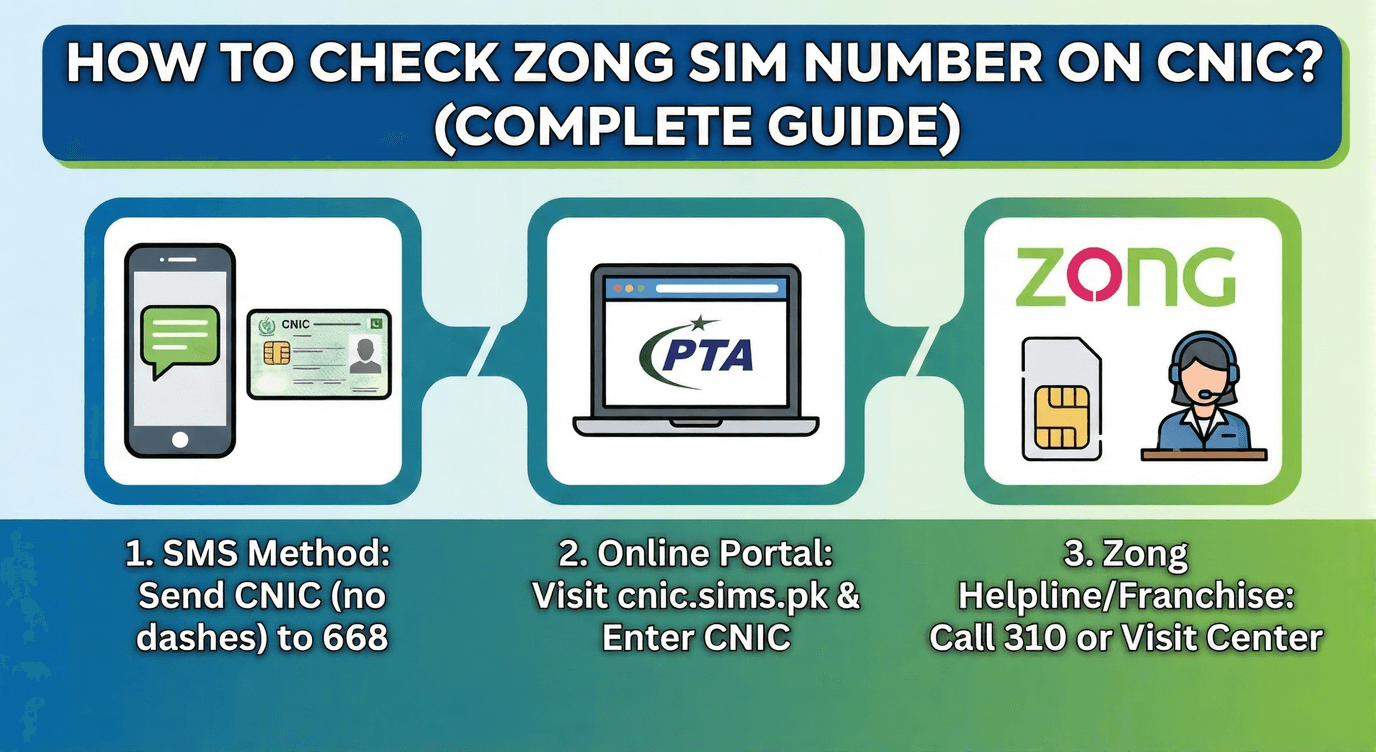
In today’s digital age in Pakistan, keeping track of the SIM cards registered under your name is not just a matter of convenience—it is a matter of security. We often buy SIM cards for temporary use, give them to family members, or simply lose them over the years. However, according to the Pakistan Telecommunication Authority (PTA), you are legally responsible for every single SIM registered against your Computerized National Identity Card (CNIC).1
If you are a Zong user—or suspect that you might have Zong SIMs registered in your name that you aren’t using—you have landed on the right page.
Whether you want to verify your SIM count, find out the number of those active SIMs, or clean up your biometric record, this guide covers everything. We will walk you through how to check Zong SIM number on CNIC using SMS codes, online methods, and official PTA services.
Why Is It Important to Check SIMs on Your CNIC?
Before we dive into the “How-To,” let’s understand the “Why.” Why should you care how many SIMs are under your name?
- The 5-SIM Rule: In Pakistan, you can only have a maximum of 5 SIM cards registered on one CNIC at a time.2 If you reach this limit, you cannot buy a new SIM or port a network until you block the old ones.
- Security Risks: If a SIM is registered in your name but is being used by someone else for illegal activities, you will be held responsible by the authorities.
- Inactive SIMs: Many of us have old Zong SIMs lying in a drawer. If they are inactive for a long time, the company might resell that number, but the biometric record might still show it under your name until updated.
Now, let’s get to the methods.
Method 1: The “668” PTA Service (The Universal Method)
The most authentic way to check how many SIMs (Zong, Jazz, Telenor, Ufone) are registered against your CNIC is the PTA Information System. This is the gold standard for SIM verification in Pakistan.
How to Use the 668 Service:
You can do this via SMS or through the website.
Via SMS:
- Open the messaging app on your phone.
- Type your CNIC Number (without dashes). Example: 3520212345678
- Send this SMS to 668.
- Cost: Approximately Rs. 2 + Tax.
What Happens Next?
Within a few seconds, you will receive a generated table via SMS from PTA. It will look something like this:
| Operator | Verified SIMs |
| Jazz | 2 |
| Telenor | 0 |
| Zong | 3 |
| Ufone | 0 |
| Total | 5 |
Via Website:
If you don’t want to spend credit, you can visit the PTA SIM Information Website (cnic.sims.pk).3 Enter your CNIC, complete the captcha, and it will show you the same table.
Method 2: How to Check Zong Specific Numbers on CNIC?
Once you know via the 668 code that you have, say, 3 Zong SIMs, your next question will naturally be: “What are these numbers? I only use one!”
To find the actual digits of the Zong SIMs registered to you, Zong offers a specific USSD service.
The “7911” SMS Service
This is a dedicated service by Zong to help customers identify their owned numbers.
- Open your message box.
- Type “V” (without quotes).
- Please send it to 7911.
- Requirement: You must send this message from a Zong number that is already registered in your name.
The Result:
You will receive a reply from Zong containing a list of all Zong numbers currently active and biometrically verified under your CNIC.
Method 3: Identifying the Number of the SIM Inside Your Phone
Sometimes, the problem isn’t checking the database; the problem is that you found an old Zong SIM, put it in your phone, and you don’t know its number because you have zero balance to make a call.
If you are stuck in this situation, you don’t need the CNIC method. You need the “My Number” check code.
- Dial *8# from your Zong SIM.
- Your mobile number will appear on the screen instantly.
If you are facing trouble with this specific step or the code isn’t working for you, we have a separate, detailed guide on How to know Zong number? This covers 5 different ways to find your own digits without a balance.
Method 4: The Zong E-Care (Online Portal)
If you are a tech-savvy user, you can use the Zong E-Care Portal to manage your account.
- Go to the official Zong website.
- Log in to the E-Care section using your current Zong number.
- Once logged in, navigate to the Profile or Account section.
- Here, you can often see details regarding your connection history and ownership status.
While this portal is excellent for checking call history and recharge details, it is most effective for the number you are currently logged in with.
What If I Have “Unknown” SIMs Registered in My Name?
This is a scary scenario. You checked via 668, and it says you have 4 Zong SIMs, but you only possess 1. What should you do?
Step 1: Visit a Zong Franchise
You cannot remove or block a SIM online. This is a security measure to prevent hackers from blocking your SIMs remotely.
- Visit the nearest Zong Customer Care Center or Franchise.
- Take your original CNIC with you.
- Ask the representative to pull up your Biometric Record.
Step 2: The “Disclaimer” Process
Tell the representative that you want to retain the number you are using and block all other extra numbers.
- They will ask you to verify your thumbprint (Biometric verification).
- They will delete the extra numbers from your CNIC.
Cost: Usually, blocking a SIM is free, or there might be a nominal service charge depending on the franchise policy.
Thinking of Switching Networks?
Once you have cleaned up your SIM data and realized you have space for more SIMs (under the 5-SIM limit), you might consider which network offers the best 4G coverage.
Many users nowadays are moving to Zong because of its superior data speeds in 4G and its upcoming 5G readiness. If you are currently on Jazz, Telenor, or Ufone and are tired of slow speeds, you should switch to Zong without changing your number.
Internal Link Opportunity:
Are you thinking about making the switch but worried about the process? It is actually quite simple. Read our step-by-step tutorial on [How do I convert my number to Zong?] to learn about MNP (Mobile Number Portability) codes and franchise requirements.
The Risk of Illegal SIMs (Reviewing the Law)
It is crucial to understand the gravity of having verified SIMs that aren’t in your possession.
The “Ghost SIM” Phenomenon:
In the past, retailers sometimes activated extra SIMs using a customer’s thumbprint without their knowledge. These SIMs are often sold in the black market.
- If a crime is committed using that number, the police will trace the CNIC and come to your doorstep.
- Therefore, make it a habit to check your CNIC status via 668 at least once every 6 months.
Conclusion
Your mobile number is your digital identity in 2025. From bank accounts to WhatsApp, everything is linked to it. Knowing how to check the Zong SIM number on the CNIC is the first step in securing that identity.
To summarize:
- Use 668 (SMS or Web) to check the quantity of SIMs.
- Use 7911 (Zong SMS) or visit the franchise to find the numbers.
- Use *8# to check the number of the SIM currently in your hand.
Don’t ignore those extra SIM counts on your ID card. Take action today, visit the franchise if needed, and clean up your biometric record. Stay safe, stay connected, and keep following Dreamic Digital for more tech tips, package updates, and digital solutions!
Q1: Can I check the Zong SIM number on the CNIC online for free?
Yes and No. You can check the count (quantity) of SIMs for free using the cnic.sims.pk website. However, to get the actual phone numbers, you usually need to send an SMS to 7911 (charges apply) or visit the franchise. There is no website that publicly displays private phone numbers against a CNIC for privacy reasons.
Q2: What is the code to check the Zong number?
To check the number of the SIM currently inside your phone, dial *8# or *100#. It will display the number on your screen.
Q3: How can I check the name of the SIM owner?
If you have a number and want to know whose CNIC it is registered to (Reverse Lookup), you can send the specific number via SMS to 667.
Type MNP in a message.
Send to 667.
You will receive the owner’s name and CNIC number.